
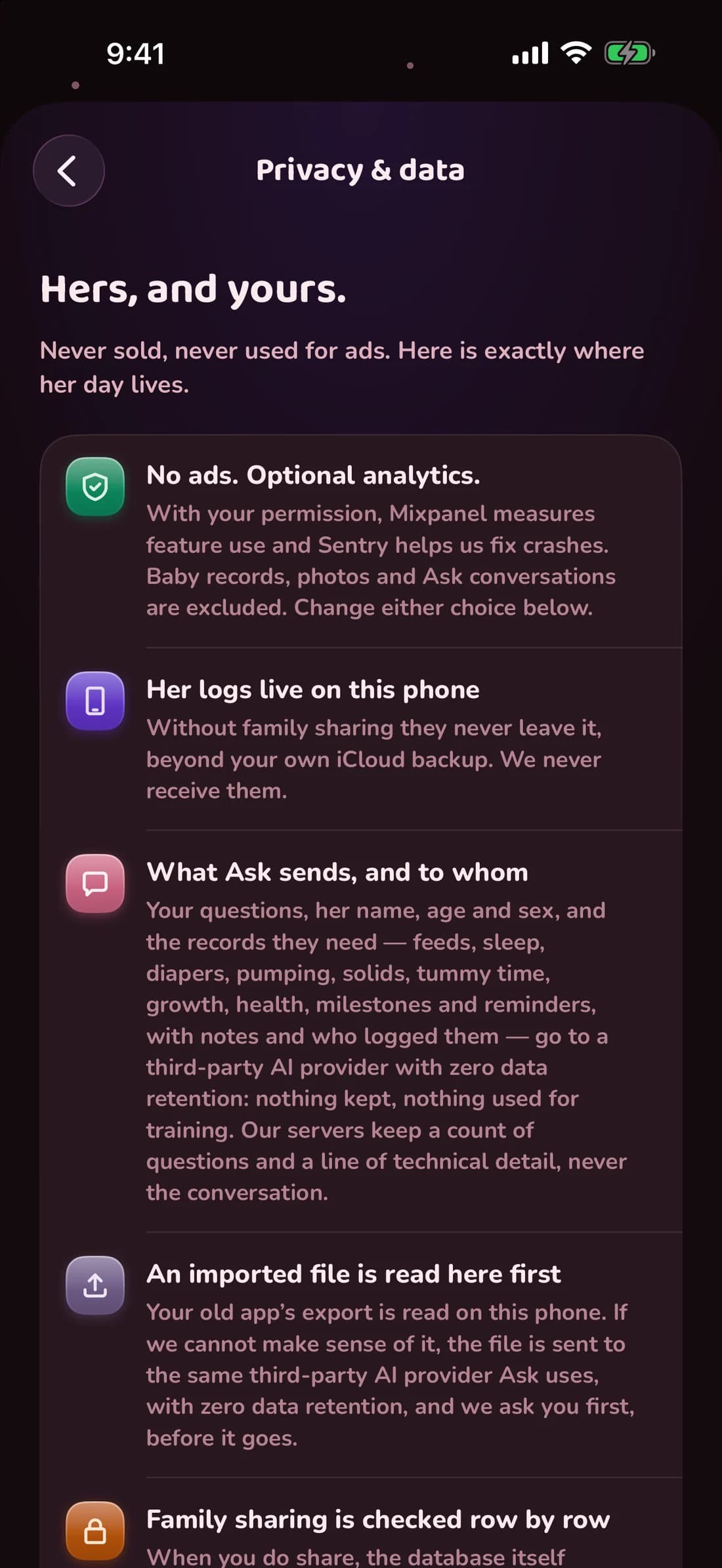
The whole list of what leaves the phone
- Nothing, if you skip sign-in and leave analytics off. Logging, timers, widgets, charts and the nap forecast all run locally.
- Sharing with a caregiver. The entries have to reach the other phone, so they go through our database.
- Ask. The question and the records needed to answer it go through our server to a third-party AI provider with zero data retention: nothing is kept once the answer comes back, nothing is used for training, and the conversation itself stays on your phone.
- An unreadable import file. Sent to the same provider to be parsed, and only when your phone could not read it itself — the app asks you first, before it goes.
- Sign-in emails. Your address, to send the code.
Getting it all back, or getting rid of it
Export whenever you like: a spreadsheet, or a zipped backup with every stored field and photo. Settings › Data › Delete all data clears this phone when you are signed out, and your family’s logs for every caregiver when you are signed in. Settings › Account › Delete account removes your profile and sign-in from the servers, and any family only you belong to with its babies, records and photos; in a family shared with other caregivers, the entries and photos you added stay with the family. Neither cancels a subscription — that lives with your Apple ID.
Why the wording is so specific
Because a claim that is not checked drifts. The privacy copy inside the app is tied to a security audit of the code by a test that fails if the two disagree, so a new outbound call cannot ship without the sentence that describes it. The full policy is on the privacy page.